ChatGPT gets facts about my business wrong. How do I fix it?
You can't edit ChatGPT's answer directly; you fix the source it relies on. Log the wrong claim, find where it comes from (your site, a listing, an old article or a mix-up with another company), correct that page, make sure AI crawlers can read it, report the answer, and check again a few weeks later.

- There's no correction form for businesses: OpenAI's documented ways to give feedback on a ChatGPT answer are the thumbs-down button under the response and a Report option for content that may break its terms or the law.
- The companies say errors happen: OpenAI's help centre says ChatGPT search results and citations "can be incomplete, outdated, or incorrect". Google says AI Overviews "can and will make mistakes".
- Search answers come from the web: when ChatGPT searches, it sends rewritten queries to search providers and builds its answer from the pages it finds, with links to its sources.
- Blocking the search crawler hides your version: OpenAI says sites that opt out of OAI-SearchBot won't be shown in ChatGPT search answers, though they can still appear as navigational links.
- Listing fixes aren't instant: Google says Business Profile edits usually take up to 10 minutes to review, but sometimes up to 30 days.
- It isn't rare: in a 2025 study led by the BBC and coordinated by the EBU, 45% of more than 3,000 AI assistant answers about the news had at least one significant issue. That study looked at news, not businesses, but the failure types (outdated facts, wrong attribution) are the same ones businesses run into.
Why AI assistants get business facts wrong
Most wrong answers about a business come from one of five places:
- Old information. An assistant answering from what its model learned in training may repeat prices, opening hours or services from months or years ago.
- A wrong or outdated page on the web. When the assistant searches, it trusts what it finds. An old directory listing, a review site or a press article with an error can be the page it quotes.
- Your own site is unclear. If your prices are only in an image, your hours differ between the footer and the contact page, or a discontinued product still has a page, the assistant has to guess.
- A mix-up. Two companies with similar names, or a business that moved or rebranded, can be blended into one answer.
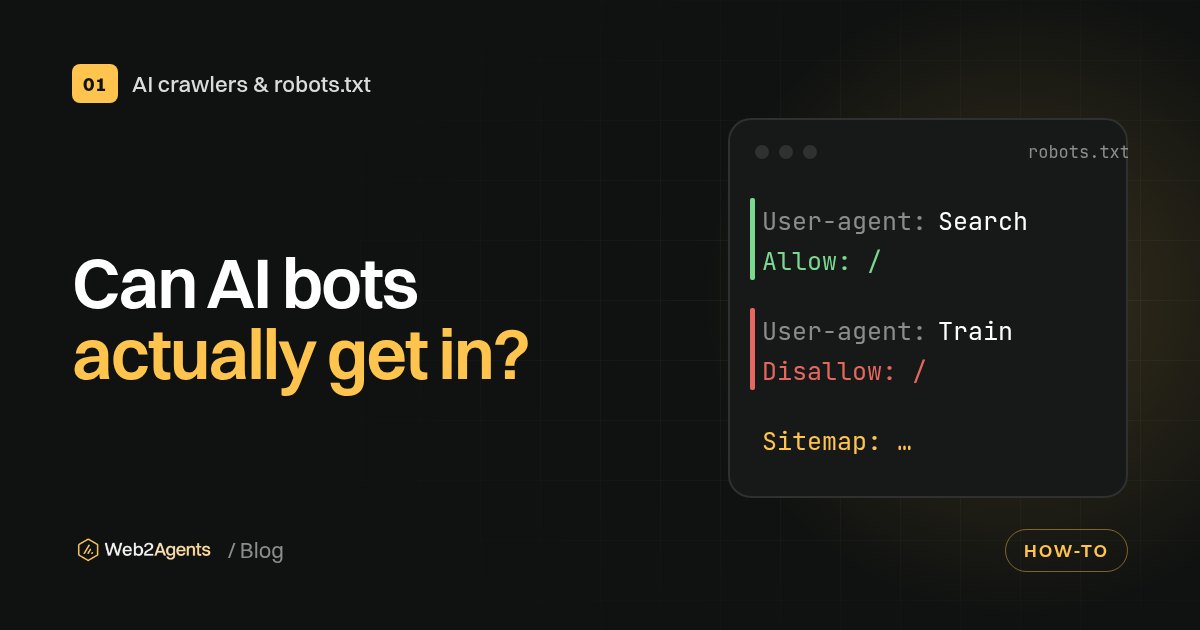
- It can't read your site. If your robots.txt or your firewall blocks the search crawlers, the assistant answers from other people's pages about you instead of yours.
Each cause has a different fix, so the first job is to work out which one you're dealing with.
Step 1: Write down exactly what's wrong
Ask the assistants the questions your customers would ask, in plain words: "What time does [business] open on Saturday?", "Does [business] deliver to Porto?", "How much does [product] cost at [business]?". Ask in a new chat each time, and turn on search where you can.
Keep a simple log. You'll need it to find the source and, later, to check whether the fix worked:
| Date | Assistant | Question asked | Wrong claim | Sources it cited |
|---|---|---|---|---|
| 7 Nov | ChatGPT (search on) | Opening hours on Saturday | "Closed on Saturdays" | Old directory listing |
| 7 Nov | Google AI Overview | Do they deliver outside Lisbon? | "Lisbon only" | Your 2023 FAQ page |
The rows above are examples. Answers change between chats, days and locations, so one odd answer isn't a pattern. Ask the same question three or four times before you act.
Step 2: Find where the wrong fact comes from
If the answer shows sources, open every one. OpenAI's own advice is to open a cited source and check that it actually supports the answer. Often the error is right there on someone else's page.
| What you see | Most likely source | Where to fix it |
|---|---|---|
| The answer cites a page with the wrong fact | That page | Your own page, or ask the other site's owner to update it |
| Wrong hours, address or phone, no clear source | Business listings | Google Business Profile, Bing Places, Apple Business |
| Facts from another company with a similar name | A mix-up between entities | Your About page, Organization structured data, consistent name everywhere |
| Old prices or products, no source cited | What the model learned in training | Your site and listings, then ask with search on |
| The assistant says it can't find much about you | Crawlers blocked or too little about you online | robots.txt, firewall settings, a clear facts page |
Step 3: Fix it at the source
Your own website
Your website is the one source you fully control, so make it the clearest one:
- One page with the basic facts. Name, what you sell, where you deliver, opening hours, prices or price ranges, contact details. Write it as plain text, not inside images or PDFs.
- One version of each fact. If the footer says 9:00 and the contact page says 10:00, fix both. Search your site for old prices and discontinued products, and update or redirect those pages.
- Answer the questions people ask. If customers keep asking whether you ship to Spain, say so in a sentence an assistant can quote. Our checklist for getting cited by ChatGPT covers how to write pages that AI tools can quote cleanly.
Your business listings
Assistants and search engines lean on listings for local facts. Keep the same name, address, phone number and hours on all of them:
- Google Business Profile. Google's help page on editing your Business Profile explains how to update your address, hours, contact details and photos. You need to sign in with the Google Account linked to the profile, and some businesses must verify first.
- Bing Places for Business. Microsoft's support page on adding and managing your business listing is where you claim or update your listing for Bing Maps results.
- Apple Business. Apple Business lets you claim your location on Apple Maps and control your logo, hours, images and key details.
If you're a local business, our guide on how a local business gets recommended by ChatGPT goes through listings in more detail.
Other people's pages
If a directory, review site or old article has the wrong fact, contact the site and ask for a correction. Be specific: the page, the wrong sentence, the right fact, and a link to your own page that proves it. You can't force them, but some directories have a "suggest an edit" or "claim this listing" option.
Google's knowledge panel
If Google shows a knowledge panel for your company with wrong details, Google's Get verified on Google page explains how to claim it. If you can't claim it yet, you can suggest changes through the Feedback link under the panel, with links to pages that confirm the right information.
Step 4: Make sure AI tools can read the corrected version
A fix on your site does nothing if the assistants can't fetch it:
- Allow the search crawlers. OpenAI's crawler documentation says OAI-SearchBot is the crawler that surfaces sites in ChatGPT search, and that it can take about 24 hours for a robots.txt change to take effect. Its help page also asks you to make sure your host or CDN allows traffic from OpenAI's published IP addresses. Our guide on checking which AI crawlers can access your site shows how to test this.
- Add Organization structured data to your home page. Google's Organization structured data documentation says it can help Google understand your organisation's details and tell it apart from others. Include your official name, logo, address, phone, email and
sameAslinks to your official profiles. - Keep your facts in HTML. Text that's only loaded by scripts, or only in images, is harder for crawlers to read.
Step 5: Report the wrong answer
Reporting won't fix the source for you, but it tells each company something is wrong:
| Where the answer appears | How to report it | What to include |
|---|---|---|
| ChatGPT | Thumbs-down icon under the response; Report for content that may break OpenAI's terms or the law | The wrong claim and the correct fact, with a link to your page |
| Google AI Overviews | Thumbs-down at the bottom of the overview, then Report a problem; or the three-dot menu | What's wrong and what's right; Google says the report includes your query and its results |
| Google knowledge panel | Feedback link under the panel | The fact to change and links that confirm it |
Feedback goes to the companies to improve their systems. None of them promises to fix an individual answer or to reply.
Step 6: Check again, and keep checking
Go back to your log after a few weeks and ask the same questions again, with search on. Expect different speeds:
| What you changed | When to recheck |
|---|---|
| robots.txt to allow OAI-SearchBot | After a day or two (OpenAI says about 24 hours to adjust) |
| Google Business Profile | Once the edit shows as accepted (usually up to 10 minutes, sometimes up to 30 days) |
| Organization markup, knowledge panel | At least a week after Google recrawls the page; Google suggests waiting one week before reporting knowledge panel errors |
| Facts the model learned in training | Ask with search on; built-in knowledge only changes when the model is updated |
If the answer is still wrong, look at the sources it cites now. They tell you which page still needs fixing. Then repeat the check every month or two, and whenever you change prices, hours or services.
When it's more than a wrong opening time
Most errors are about hours, prices or services, and the steps above are the right fix. If an assistant says something seriously damaging about your business, keep records of the question, the answer, the date and any sources it cited, use the reporting options above, and get proper legal advice for your country before you do anything else.
Check your own site
The fastest win is often on your own site: crawlers that can't get in, facts that contradict each other, or no structured data. Run the free Web2Agents AI check to see what AI crawlers can read on your site, or get the €19 AI-Ready Kit for ready-made files and fixes. More guides are in our GEO and AI search visibility section.
FAQ
Can I ask OpenAI to correct what ChatGPT says about my business?
There's no correction form for businesses in OpenAI's help documentation. You can give feedback with the thumbs-down button under the answer. The fix that lasts is correcting the pages and listings ChatGPT finds when it searches, starting with your own website.
Why does ChatGPT still show my old prices after I updated my website?
It may be answering from what the model learned in training, or citing an older page somewhere else. Ask again with search turned on and look at the sources it cites. Also check that your robots.txt and firewall allow OAI-SearchBot, or ChatGPT can't read your updated page.
Does blocking GPTBot stop ChatGPT from repeating wrong information?
No. OpenAI says GPTBot is about training, while OAI-SearchBot controls whether your site appears in ChatGPT search answers. Blocking OAI-SearchBot can make things worse, because ChatGPT then relies on other people's pages about you.
How long does it take for a correction to show up in AI answers?
It depends on where you fixed it. OpenAI says robots.txt changes take about 24 hours to affect ChatGPT search. Google says Business Profile edits usually take up to 10 minutes but can take up to 30 days. Answers from a model's training data only change when the model is updated.
Is structured data enough to fix wrong AI answers?
No. Organization structured data helps search engines identify your business and tell it apart from others, but it only works alongside clear text on your pages and accurate business listings. If another site has the wrong fact, that page still needs correcting.
Sources
- Searching the web with ChatGPT, OpenAI Help Center
- Overview of OpenAI crawlers, OpenAI
- Chat model feedback, OpenAI
- AI Overviews in Google Search, Google Search Help
- Establish your business details with Google, Google Search Central
- Organization structured data, Google Search Central
- Edit your Business Profile, Google Business Profile Help
- Understand what happens to your Business Profile edits, Google Business Profile Help
- Get verified on Google, Knowledge Panel Help
- Add and manage your business listing, Microsoft Support
- Apple Business, Apple
- AI assistants misrepresent news content 45% of the time, BBC Media Centre, 22 October 2025