Did Google's AI Overviews cut your website traffic? How to check, and what to do
Maybe, but check before you blame them. In Search Console, AI Overviews usually show up as impressions that hold steady while clicks fall and your average position barely moves. If impressions or position dropped too, the cause is more likely a ranking change, lower demand or a technical problem.

- Fewer people click when an AI summary appears: in Pew Research Center's study of 68,879 real searches, users clicked a regular result in 8% of visits with an AI summary, against 15% without one. They clicked a link inside the summary in 1% of visits.
- Click-through studies point the same way: Ahrefs measured a click-through rate about 58% lower for the top result when an AI Overview was present (December 2025 data, 300,000 keywords).
- Google says total clicks are stable: Google's head of Search wrote in August 2025 that total organic clicks from Google were "relatively stable" year over year, but that traffic is shifting between sites.
- Search Console counts AI clicks with normal clicks: clicks on links in AI Overviews and AI Mode are counted in the standard Performance report, under the "Web" search type. You can't filter them out.
- There is now a Generative AI report, impressions only: since 31 August 2026 every site has a Generative AI report in Search Console that shows impressions from AI Overviews and AI Mode, but no clicks.
- Not every drop is AI: Google lists algorithm updates, technical issues, security problems, spam actions, seasonality and site moves as the usual causes of traffic drops.
Why this question is hard to answer
AI Overviews are the summaries Google shows above the normal results for some searches. AI Mode is the separate chat-style search tab. Both include links to websites, and both can answer a question well enough that the person never clicks anywhere.
The trouble is that Search Console doesn't give you a clean "lost to AI" number. Clicks from AI Overviews and AI Mode are mixed into your normal Web clicks, and Google's help page on impressions, position and clicks explains that an AI Overview takes up a single position on the results page: every link inside it gets that same position. So you have to work it out from patterns, the same way you would for any other drop.
Step 1: Look at a long enough time range
Open Search Console, go to Performance, then Search results. Set the date range to the last 16 months, the longest Search Console keeps. Google's own guide to debugging drops in Search traffic recommends starting here, because a long view shows whether the drop is sudden, gradual or the same dip you get every year.
Then switch on all four metrics: total clicks, total impressions, average CTR (the share of impressions that became clicks) and average position.
Step 2: Compare the right periods
Use the Compare tab in the date filter. Google suggests comparing the last 3 months with the 3 months before, or with the same period a year earlier if your business is seasonal. A shop selling garden furniture shouldn't compare November with June.
Step 3: Read the pattern
This is the step that tells you most. Look at what moved together:
| What you see | Most likely cause | What to check next |
|---|---|---|
| Impressions steady, position steady, clicks down (CTR down) | Fewer people click: an AI Overview, other search features, or a weaker title and snippet | Search your top queries and see what's above your result; check the Generative AI report |
| Impressions down, position down a lot | Your pages rank lower: a Google update or stronger competitors | Dates of updates on the Google Search Status Dashboard; which pages lost position |
| Impressions down, position steady | Fewer people are searching | Google Trends for your main queries; last year's same months |
| Clicks and impressions near zero, suddenly | A technical problem, like a noindex tag, a robots.txt block or a server error | Page indexing report, robots.txt, recent site changes |
| Drop on one group of pages only | Something specific to those pages | The Pages table, filtered by that folder |
Google's guide says the first row in plain words: if impressions stay about the same but clicks drop, something is changing how people react to your result, either your snippet or other results on the page. AI Overviews are one possible cause on that row, not the only one.
Before you read too much into any change, check Google's data anomalies in Search Console page. Sometimes a dip is a logging problem on Google's side, not real traffic.
Step 4: Open the Generative AI report
Go to Performance and choose Generative AI. Google's help page for this report explains that it shows how often your pages appeared in AI Overviews and AI Mode, by page, country, device and date. It combines both features and you can't separate them.
It shows impressions only. That makes it useful as a second signal: if a page's AI impressions grew over the same months its clicks fell while its normal impressions held, AI Overviews are a likely part of the story for that page. If a page has almost no AI impressions, look elsewhere for the cause.
Step 5: Check which of your queries are questions
Pew found that AI summaries appeared in 18% of the searches it tracked, but in 60% of searches that started with a question word such as "how", "what" or "why". Length mattered too: 8% of one- or two-word searches got a summary, against 53% of searches with ten or more words.
So in the Queries tab, sort by clicks lost and look at the queries at the top. If they're mostly long questions ("how long does a sofa take to deliver"), AI Overviews are a reasonable suspect. If they're short product or brand searches ("oak sofa lisbon"), they're less likely to be the cause.
Then search a few of those queries yourself, ideally in a private window. Results change by person, place and day, so treat this as a spot check, not proof.
Step 6: Rule out the usual causes
Before you settle on AI Overviews, check the boring things too:
- Updates. Compare the date of your drop with the updates listed on the Google Search Status Dashboard.
- Indexing. Open the Pages report under Indexing and look for pages that dropped out.
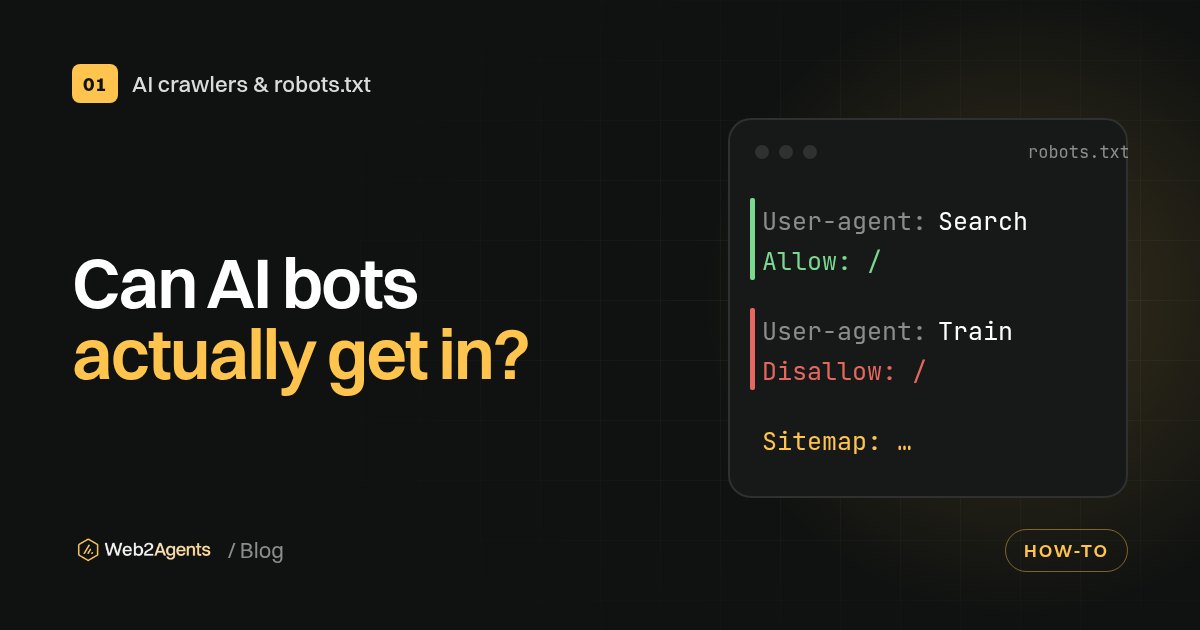
- Crawling. Make sure your robots.txt doesn't block Googlebot. Our guide on checking which crawlers can access your site shows how to test this.
- Demand. Look up your main queries in Google Trends. If interest in your product fell, your traffic will follow.
What to do if AI Overviews are the cause
Measure what the clicks are worth, not just how many
Google claims clicks from pages with AI Overviews are "higher quality", meaning people are more likely to spend time on the site. That's Google's claim, so test it on your own data. Set up conversions in GA4 and compare sales or leads, not just sessions. Our guide to tracking AI traffic and sales in GA4 covers the setup.
Give people a reason to click
An AI summary can answer "what is the return window for sofas". It's much worse at replacing a size guide with photos, a calculator, real customer reviews or a clear price comparison. Google's August 2025 post says people are clicking more on forums, videos and posts with first-hand experience. Pages built around something only you have hold up better than pages that repeat what everyone else says.
Try to be one of the sources in the summary
Your page can be one of the links inside an AI Overview. Google's page on AI features and your website says no special markup or file is needed: the page has to be indexed and eligible to show a snippet, and the usual SEO basics apply. Clear, direct answers near the top of the page, accurate facts and a page that loads properly all help. Our checklist for getting cited by ChatGPT covers the same ground for other AI assistants.
Don't rewrite everything at once
If position held and only clicks dropped, your content isn't necessarily the problem. Change a few pages, give it a few weeks, and compare. Big rewrites make it impossible to tell what worked.
Should you opt out of AI Overviews?
You can. Since 31 August 2026 Search Console has a Search generative AI setting that lets a site exclude itself from AI features in Google Search. Google's help page for that setting says excluding your site removes the impressions and traffic you'd get from those features, isn't used as a ranking signal and doesn't affect AI training. There are also older, page-level controls such as nosnippet.
For most small businesses we don't recommend it. Opting out doesn't bring back the people who were happy with the summary; it only takes your links out of it. Opting out makes most sense if your business depends on content that AI summaries give away completely, and even then, test it on part of the site first if you can.
One common mix-up: blocking Google-Extended in robots.txt does not remove you from AI Overviews. Google's crawler documentation says it controls training and grounding for Gemini Apps and Vertex AI and doesn't affect inclusion or ranking in Google Search.
What the studies say, side by side
| Source | Data | Finding |
|---|---|---|
| Pew Research Center | 900 US adults, 68,879 searches, March 2025 | Clicked a regular result in 8% of visits with an AI summary vs 15% without; ended the session in 26% vs 16% |
| Ahrefs | 300,000 keywords, December 2025 | Top result's click-through rate about 58% lower when an AI Overview appears |
| Google's own data, August 2025 | Total organic clicks "relatively stable" year over year; traffic shifting between sites |
These don't fully contradict each other. The studies measure clicks per search for searches with a summary. Google reports total clicks across all searches. Both can be true at once, and it means some sites lose while others gain.
Check your own site
If your clicks are falling, start with the basics AI and Google both need: pages they can crawl, clear answers and clean structured data. Run the free Web2Agents AI check to see what AI crawlers can read on your site, or get the €19 AI-Ready Kit for ready-made files and fixes. More guides are in our GEO and AI search visibility section.
FAQ
Can I see clicks from AI Overviews in Search Console?
Not separately. Clicks on links in AI Overviews and AI Mode are counted in the standard Performance report with other Web clicks. The Generative AI report shows impressions from those features, but no clicks.
What position does Search Console give a link inside an AI Overview?
An AI Overview takes up one position on the results page, and every link inside it gets that position. A follow-up question in AI Mode counts as a new query.
Are AI Overviews the reason for every traffic drop?
No. Google lists algorithm updates, technical issues, security problems, spam actions, seasonality and site moves as common causes. A drop where impressions and position stay steady but clicks fall is the pattern most likely to involve AI Overviews.
Will blocking Google-Extended stop AI Overviews from using my site?
No. Google says Google-Extended controls training and grounding for Gemini Apps and Vertex AI, and doesn't affect inclusion or ranking in Google Search. The Search generative AI setting in Search Console and page-level snippet controls are what affect AI Overviews.
How much traffic do AI Overviews take?
It depends on the site and the query. Pew found people clicked a regular result in 8% of visits with an AI summary against 15% without one, and Ahrefs measured a top-result click-through rate about 58% lower. Google says total organic clicks have stayed relatively stable, with traffic moving between sites.
Sources
- Google users are less likely to click on links when an AI summary appears in the results, Pew Research Center, 22 July 2025
- Update: AI Overviews Reduce Clicks by 58%, Ahrefs
- AI in Search is driving more queries and higher quality clicks, Google, 6 August 2025
- AI features and your website, Google Search Central
- Debugging drops in Google Search traffic, Google Search Central
- What are impressions, position, and clicks?, Search Console Help
- Generative AI performance report, Search Console Help
- Search generative AI control, Search Console Help
- Google's common crawlers (Google-Extended), Google Search Central
- Data anomalies in Search Console, Search Console Help