How do you check which AI crawlers can access your website?
Check two layers. Read your robots.txt to see which AI bots you ask to stay out, then test what your server actually returns to each bot, because a firewall or CDN can block a bot that robots.txt allows. Request a page with each bot's user agent, look for 403s or challenge pages, and confirm real visits in your logs.
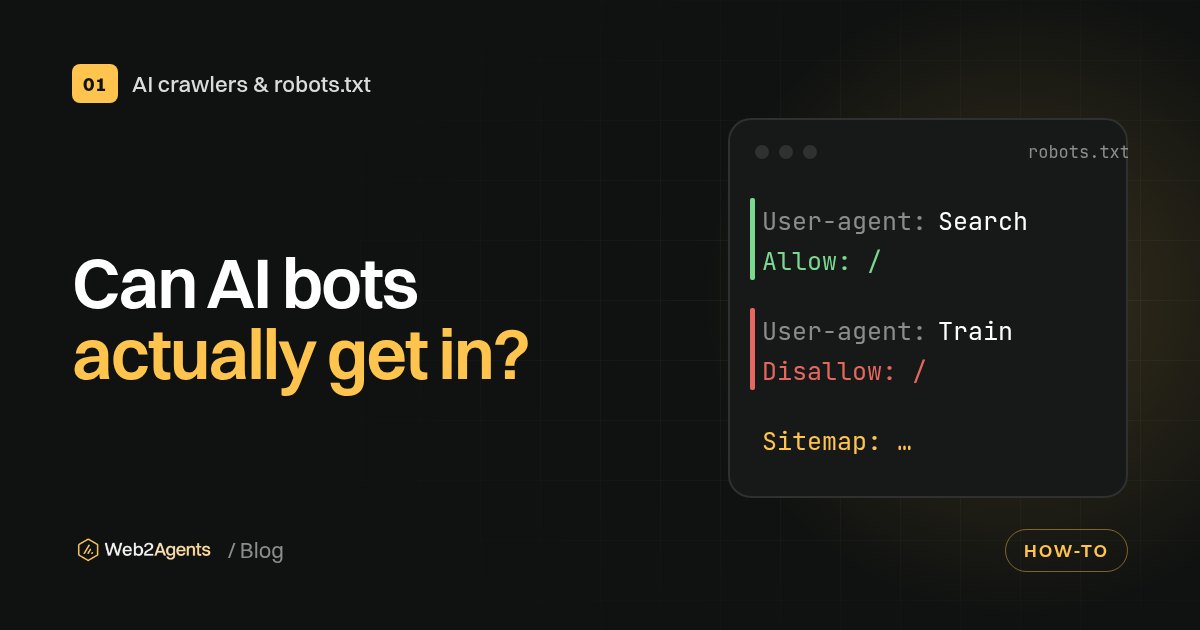
- Two separate gates: robots.txt is a request that well-behaved bots follow. Your firewall, CDN or host decides what is actually served. A bot needs both to be open.
- Firewalls can block AI bots you allowed: Cloudflare, which says it handles traffic for about 20% of the web, made blocking AI crawlers the default choice for new domains on 1 July 2025.
- Our own test: on 2 November 2026 we sent requests to web2agents.com with 11 user agents. Ten got a normal 200 page. Bytespider got a 403 from the CDN, even for robots.txt itself.
- Each bot follows one group: a crawler obeys only the most specific
User-agentgroup that matches it, so a named group overrides yourUser-agent: *rules. - User agents can be faked: OpenAI and Perplexity publish IP ranges for their bots, so you can tell a real GPTBot or PerplexityBot visit from an impostor.
- Some fetchers skip robots.txt: OpenAI says robots.txt rules "may not apply" to ChatGPT-User, and Perplexity says Perplexity-User "generally ignores robots.txt rules", because a person asked for the page.
Why robots.txt alone doesn't tell you
Most guides stop at robots.txt. That tells you what you are asking bots to do. It doesn't tell you what happens when a bot knocks. The official standard, RFC 9309, is clear that its rules "are not a form of access authorization".
Between the bot and your pages there are usually two or three more layers: a CDN, a web application firewall (WAF) and your host. Any of them can return a 403 error, a CAPTCHA or a JavaScript challenge to a bot. A bot that hits a challenge page can't read your content, even if robots.txt says Allow: /.
This matters because the main AI companies tell site owners to allow their search bots at both levels. OpenAI's crawler documentation recommends "allowing OAI-SearchBot in your site’s robots.txt file and allowing requests from our published IP ranges". Perplexity says something similar for PerplexityBot and has a section on configuring WAFs.
The reverse also happens. Some sites block a bot at the firewall and say nothing in robots.txt. Anthropic warns that blocking its IP addresses "may not work correctly or persistently guarantee an opt-out", because it stops the bot from reading your robots.txt. If you want to opt out, say it in robots.txt.
The bots worth checking
You don't need to test every bot on the internet. Start with the ones that decide whether AI assistants can find, read and cite you.
| Bot | Company | What it does | robots.txt applies? | Published IP list |
|---|---|---|---|---|
OAI-SearchBot |
OpenAI | Indexes pages for ChatGPT search | Yes | openai.com/searchbot.json |
ChatGPT-User |
OpenAI | Fetches a page when a user asks | "May not apply" | openai.com/chatgpt-user.json |
GPTBot |
OpenAI | Crawls content that may be used for training | Yes | openai.com/gptbot.json |
Claude-SearchBot |
Anthropic | Indexes pages for Claude's search | Yes | Not listed on the help page |
Claude-User |
Anthropic | Fetches a page when a user asks | Yes | Not listed on the help page |
ClaudeBot |
Anthropic | Collects content that could be used for training | Yes | Not listed on the help page |
PerplexityBot |
Perplexity | Indexes pages for Perplexity search | Yes | perplexity.ai/perplexitybot.json |
Perplexity-User |
Perplexity | Fetches a page when a user asks | "Generally ignores" it | perplexity.ai/perplexity-user.json |
Googlebot |
Google Search, including AI features in Search | Yes | Google publishes its own ranges |
If you want to decide which of these to allow, our guide on allowing AI search bots while blocking AI training covers the policy. This guide is about checking that your policy actually works.
Step 1: Read your robots.txt rules
Open https://yourdomain.com/robots.txt in a browser. Then answer three questions for each bot in the table above.
- Is there a group with its name? For example
User-agent: GPTBot. If so, only that group counts for that bot. - If not, what does
User-agent: *say? Bots without a named group follow the wildcard group. - Is there a
Disallow: /that catches it? One line can hide a whole site.
The trap here is the "one group per bot" rule. Google's robots.txt specification says a crawler follows only the most specific group that matches it, and "other groups are ignored". So if you block /admin/ under User-agent: * and then add a group for OAI-SearchBot, that bot no longer sees the /admin/ rule.
You can check this with a script instead of by eye. Python's standard library includes a robots.txt parser:
from urllib.robotparser import RobotFileParser

rp = RobotFileParser("https://yourdomain.com/robots.txt")
rp.read()
for bot in ["OAI-SearchBot", "ChatGPT-User", "GPTBot",
            "Claude-SearchBot", "ClaudeBot", "PerplexityBot", "Googlebot"]:
    print(bot, rp.can_fetch(bot, "https://yourdomain.com/"))
Treat the result as a quick check, not the final word. Different parsers handle edge cases (wildcards, conflicting Allow and Disallow lines) slightly differently. For Google specifically, Search Console's robots.txt report shows which robots.txt files Google found, when it last fetched them and any parsing errors.
Also check subdomains. Each host needs its own file: shop.yourdomain.com doesn't inherit the rules of www.yourdomain.com.
Step 2: Test what your server returns to each bot
This is the step most people skip, and it catches the most surprises. Request a page while identifying as each bot, and compare the answer with what a normal browser gets.
With curl in a terminal on Mac or Linux (Windows 10 and later include curl.exe too; put the command on one line there):
curl -s -o /dev/null -w "%{http_code}\n" \
  -A "Mozilla/5.0 AppleWebKit/537.36 (KHTML, like Gecko); compatible; GPTBot/1.4; +https://openai.com/gptbot" \
  https://yourdomain.com/
Repeat it with each user agent string. The companies publish example strings in their docs, and the version numbers change, so copy them from the source rather than from old blog posts.
How to read the results:
| What you get | What it means | What to do |
|---|---|---|
200 and your real page |
This user agent isn't blocked by a rule based on its name | Nothing, if that's your intent |
403 |
Blocked by your firewall, CDN or host | Check bot or AI-crawler settings in your CDN or WAF |
200 but a challenge or CAPTCHA page |
The bot gets a page, but not your content | Check bot protection or "under attack" modes |
429 |
Rate limited | Check rate-limit rules; occasional 429s can be normal |
503 |
Server error or maintenance | Check uptime; repeated errors can slow crawling down |
301/302 to a login or geo page |
The bot is sent somewhere else | Check redirects that depend on location or cookies |
Look at the body too, not only the status code. A 200 that contains "Checking your browser" or "Verify you are human" means the bot didn't see your content.
One honest limit: this test only shows how your site treats a user agent name coming from your IP address. Many firewalls also check where a request comes from. A rule that verifies bots by IP may let the real GPTBot in and block your fake one, or the other way round. Use Step 2 to find blocks based on the name, and Step 4 to confirm what happens to the real bots.
What we found on our own site
We ran this test on www.web2agents.com on 2 November 2026 at 09:02 Lisbon time, using the homepage and 11 user agents. Our robots.txt allows all of them except Bytespider (ByteDance's crawler), which we disallow.
| User agent sent | robots.txt says | Server returned |
|---|---|---|
| Normal browser | n/a | 200, full page |
| GPTBot | Allowed | 200, full page |
| OAI-SearchBot | Allowed | 200, full page |
| ChatGPT-User | Allowed | 200, full page |
| ClaudeBot | Allowed | 200, full page |
| Claude-SearchBot | Allowed | 200, full page |
| PerplexityBot | Allowed | 200, full page |
| Googlebot | Allowed | 200, full page |
| Bingbot | Allowed | 200, full page |
| CCBot | Allowed | 200, full page |
| Bytespider | Disallowed | 403 from the CDN, also for /robots.txt |
When we first checked our site, our robots.txt still allowed Bytespider while the CDN in front of our host was already refusing it. The two layers disagreed, and robots.txt alone would never have shown it. We now say the same thing in both places.
Step 3: Check your CDN, firewall and host settings
If Step 2 shows a block you didn't plan, look at the layer that returned it. The response headers often tell you: a server or similar header usually names the CDN.
Common places to look:
- AI-crawler toggles in your CDN. Cloudflare introduced a one-click option to block AI crawlers in September 2024 and, from 1 July 2025, asks every new domain whether to allow AI crawlers, with blocking as the default. If your site went on Cloudflare after that date, check the setting rather than assuming.
- Bot protection modes. Generic "bot fight" or challenge modes can catch AI bots. Perplexity notes that Cloudflare's Bot Fight Mode can't be skipped with WAF custom rules and "can still challenge Perplexity bots".
- Managed robots.txt. Some CDNs can add AI rules to your robots.txt for you. Cloudflare's managed robots.txt adds its directives in front of your existing file. Open the live file to see what bots actually get, not only the version in your CMS.
- Your website builder or host. Hosted platforms may apply their own bot rules at the CDN, outside your control panel. If you can't change them, at least make your robots.txt match, so the two layers say the same thing.
- Security plugins and rate limits. Plugins that block "bad bots" by name sometimes include AI bots in their lists.
If you want to allow a bot through a WAF, follow the company's own instructions. Perplexity's docs, for example, recommend matching both the user agent and its published IP ranges in the rule, so impostors don't get the same pass.
Step 4: Confirm real visits in your logs
The final check is whether the real bots are reaching you. You'll need server logs or your CDN's analytics.
- Search your logs for the bot names, for example
OAI-SearchBot,GPTBot,ClaudeBotandPerplexityBot. - Look at the status codes they received. A run of 403s or challenges means Step 3 isn't fixed yet.
- Check the IP addresses. Compare them against the published lists: openai.com/gptbot.json, openai.com/searchbot.json, openai.com/chatgpt-user.json and perplexity.ai/perplexitybot.json.
Step 3 matters because anyone can type "GPTBot" into a user agent. Fake AI bots exist, and some of them probe for passwords. A visit only counts as GPTBot if the IP is in OpenAI's list.
Two things to keep in mind. First, OpenAI says it may add a robots.txt marker to the user agent when fetching that file, so you may see two slightly different strings for the same bot. Second, no visits doesn't always mean you're blocked. A small or new site may simply not have been crawled yet. If Steps 1 to 3 are clean, give it time.
A quick checklist
| Check | Pass if |
|---|---|
| robots.txt loads at the root of every host | 200, plain text, not an HTML error page |
| Each AI search bot is allowed in robots.txt | Its named group, or *, allows the pages you want cited |
| Each user agent gets your real page | 200 with your content, no challenge |
| CDN and firewall AI settings match your policy | No AI-crawler block you didn't choose |
| Real bot visits appear in logs | Bot name plus an IP from the company's list |
| Re-test after changes | Same result a day later; OpenAI and Perplexity say updates can take about 24 hours |
Check your own site
Want the short version? The free Web2Agents AI check shows which of 12 AI bots can access your homepage, along with a readiness score out of 30. The AI-Ready Kit adds a 19-bot access table, and you can build a clean robots.txt with the free robots.txt and llms.txt generator.
FAQ
Is my site visible to ChatGPT if GPTBot is allowed?
Not necessarily. GPTBot is OpenAI's training crawler. For ChatGPT search, OpenAI points to OAI-SearchBot, and says sites opted out of it "will not be shown in ChatGPT search answers". Check OAI-SearchBot in both robots.txt and your firewall.
Can a firewall block an AI bot that robots.txt allows?
Yes. robots.txt only asks bots to stay away. Your CDN, firewall or host decides what is actually served. If they block a bot, it gets a 403 or a challenge page even when robots.txt says Allow: /.
Does testing with curl prove a real bot can get in?
No, it shows how your site treats that user agent name from your own IP. Firewalls that verify bots by IP address may treat the real bot differently. Confirm with your logs and the IP lists that OpenAI and Perplexity publish.
How do I know a visit really came from GPTBot?
Check the IP address. OpenAI publishes the IP ranges for GPTBot, OAI-SearchBot and ChatGPT-User. If the IP isn't in the list for that bot, treat the visit as an impostor.
Should I block AI bots by IP instead of robots.txt?
Not if you only want to opt out. Anthropic says blocking its IPs may not reliably opt you out, because its bots then can't read your robots.txt. Use robots.txt for your preferences, and the firewall for real abuse.
How often should I re-check?
After any change to robots.txt, your CDN or your security settings, and every few months otherwise. Bot names and versions change, and new bots appear.
Sources
- Overview of OpenAI crawlers, OpenAI Developers
- Does Anthropic crawl data from the web, and how can site owners block the crawler?, Claude Help Center, 7 April 2026
- Perplexity Crawlers, Perplexity Docs
- How Google interprets the robots.txt specification, Google Search Central
- robots.txt report, Search Console Help
- Cloudflare Just Changed How AI Crawlers Scrape the Internet-at-Large, Cloudflare, 1 July 2025
- RFC 9309: Robots Exclusion Protocol, IETF
- Web2Agents test of www.web2agents.com with 11 user agents, 2 November 2026, 09:02 Lisbon time